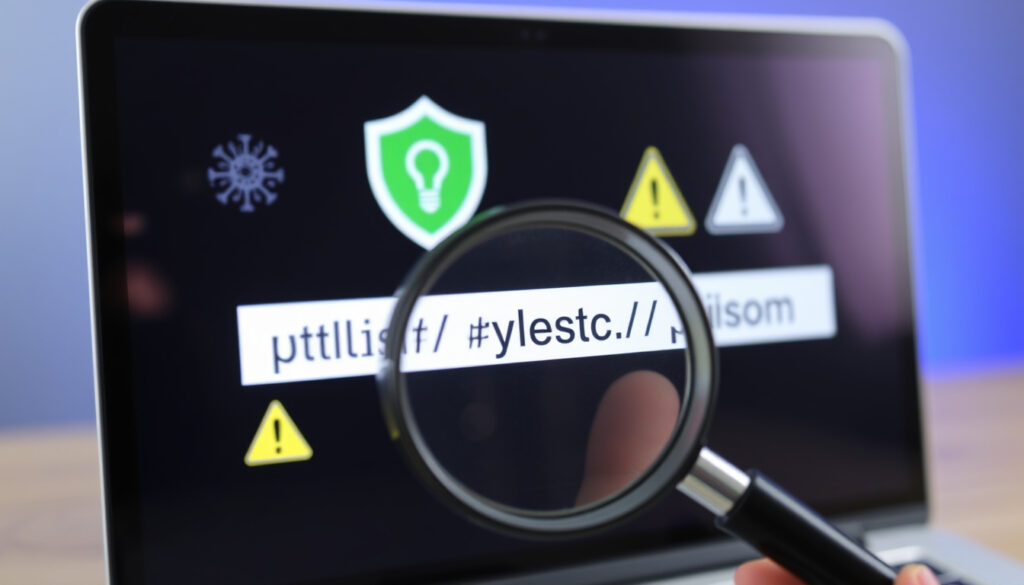
Link Checker: Is This URL Safe? Free Tools for Viruses & Phishing
Most of us have been there — hovering over a link in a chat or email, knowing something feels off but not quite sure if it’s dangerous. Link checkers aim to take that guesswork out of the equation, scanning URLs in real time for malware, phishing, and broken connections.
Phishing attacks share of breaches: 90% (Verizon 2023 DBIR) · Malware samples created daily: 300,000+ (AV-TEST) · URLs scanned daily by VirusTotal: Over 1 million (public estimate)
Quick snapshot
- Link checkers detect URLs listed in known threat databases like VirusTotal (multi-engine scanner).
- Reputable tools do not permanently store scanned URLs, per their published privacy policies. (VirusTotal (multi-engine scanner))
- Effectiveness against zero-day malware that hasn’t been flagged yet.
- How accurately heuristic analysis distinguishes legitimate from phishing pages.
- No specific timeline applies — link checkers are evergreen tools updated daily with new threat data.
- Broader integration of link scanning into browsers and messaging apps is likely the next step.
What is a Link Checker?
A link checker is an online tool that analyzes URLs for safety or validity by cross-referencing them against threat databases, running heuristic checks, or testing for HTTP response errors. Two main categories exist: security link checkers (malware, phishing) and broken link checkers (404 errors, SSL issues).
Types of link checkers
- Security link checkers: Tools like NordVPN Link Checker (VPN provider) and Bitdefender Link Checker (cybersecurity company) scan URLs against databases of known malicious sites.
- Broken link checkers: Services such as Dr. Link Check (SEO site health tool) crawl a website to find dead links, 404 errors, and invalid SSL certificates.
- Multi-engine scanners: VirusTotal (Google-owned aggregation platform) checks a URL against 70+ antivirus engines and threat feeds.
How link checkers work
Security link checkers typically follow this flow: a URL is submitted to the tool, which queries threat intelligence databases (Google Safe Browsing, PhishTank, internal blacklists) and optionally runs heuristic analysis on domain age, SSL certificate validity, and URL structure. The result is a safety verdict — safe, suspicious, or malicious. Broken link checkers instead send an HTTP request to the target URL and report the HTTP status code (e.g., 200 OK, 404 Not Found).
PowerDMARC (email security vendor) adds a trust score and behavioral analysis on top of basic checks, while ESET Link Checker (antivirus company) focuses on phishing, fraud, and scam detection with no registration required.
Most link checkers evaluate only the URL itself, not the content loaded from it. A page that loads malware only after JavaScript execution may pass a static URL scan.
The implication: selecting the right type of checker depends on your job. Someone guarding their personal inbox needs a security scanner; a web developer maintaining a 100-page site needs a broken-link crawler. They are not interchangeable.
Is a Link Checker Safe?
Reputable link checkers from established cybersecurity vendors — NordVPN, Bitdefender, ESET, VirusTotal — are safe to use and do not permanently store scanned URLs, according to their published privacy policies. However, free tools from unknown sources may log data or bundle trackers.
Privacy concerns with free link checkers
- Data retention: NordVPN Link Checker (privacy-focused VPN) states no signup or personal data is required, and URLs are not stored after scanning.
- Tracking risk: Some lesser-known free tools may collect the URLs you submit for analytics or ad targeting.
- Downloadable software risk: Avoid downloading “link checker” applications from third-party sites; use web-based tools from known security brands instead.
How to choose a reputable link checker
Stick with tools offered by established names in cybersecurity: Bitdefender (antivirus industry leader), ESET (enterprise security firm), and Sucuri SiteCheck (web security platform) all offer free scans without requiring personal information. Legitimate tools never ask for your email, password, or payment details to run a single URL check.
A tool that asks you to download a browser extension or desktop app before scanning is likely after data, not protecting you. Stick to the browser-based checkers from known vendors.
The pattern: convenience vs. privacy. A fully anonymous, no-log tool gives you less insight into historical scan trends; a freemium tool may offer saved history but at the cost of data retention. Choose based on your threat model.
Can a Link Checker Detect Viruses and Phishing?
Yes, but with important limits. Security link checkers are effective at catching known threats but can miss zero-day malware that hasn’t yet appeared in threat databases.
Malware detection capabilities
Link checkers detect known malware by comparing URLs against databases such as VirusTotal (aggregator of 70+ threat feeds). If a domain has been flagged by Google Safe Browsing, PhishTank, or any of the engines VirusTotal polls, the tool will report it. Sucuri SiteCheck (web security scanner) also checks blacklist status and scans for injected malicious code.
Phishing detection methods
Phishing detection uses heuristics: the tool examines domain age (newly registered domains are riskier), SSL certificate validity, URL structure (excessive subdomains or misspellings), and known phishing signatures. PowerDMARC (email authentication vendor) goes further with real-time heuristic scoring and a trust rating.
Limitations of link checkers
No link checker catches everything. Zero-day threats — malware hosted on a brand-new domain that hasn’t been reported — may slip through. A link checker is a first line of defense, not a substitute for antivirus software. Bitdefender (security suite provider) emphasizes that its link checker helps users avoid threats but recommends combined protection for full coverage.
A 2023 Verizon Data Breach Investigations Report found that 90% of data breaches involved a phishing element. Using a link checker before clicking can block many of those attacks — but the remaining 10% of novel threats require layered defenses.
The implication: link checkers are strong against known threats but weak against novel ones. For a typical user, combining a link checker with updated antivirus and browser-based phishing protection covers most attack vectors.
What is the Best Link Checker?
There’s no single “best” — it depends on whether you need security scanning or broken-link detection. The table below shows how they differ.
| Tool | Category | Key Features | Free? |
|---|---|---|---|
| NordVPN Link Checker | Security | No signup, checks against threat databases, phishing and malware detection | Yes |
| Bitdefender Link Checker | Security | Free browser extension, real-time protection, flags counterfeit sites | Yes |
| VirusTotal | Security (multi-engine) | 70+ antivirus engines, domain/IP analysis, community sharing | Yes |
| PowerDMARC Phishing Link Checker | Security | Trust score, heuristic analysis, no signup required | Yes |
| ESET Link Checker | Security | Fraud and scam detection, free, easy to use | Yes |
| Dr. Link Check | Broken links | 404 detection, SSL validation, mistyped URL checking | Free + paid tiers |
| Broken Link Check | Broken links | No sign-up, crawls site for dead links | Free + paid |
| Sucuri SiteCheck | Security + site health | Malware scan, blacklist check, SEO spam detection | Yes |
Free vs. paid options
For personal, occasional use, every security tool listed above is completely free. The paid tiers — like Dr. Link Check’s premium plan — unlock larger crawl limits and scheduled scans, useful for agencies managing multiple client sites.
Control D (DNS filtering service) offers another free option that scans URLs and reports on malware and social engineering risks, without requiring registration.
The catch: “best” depends on your workflow. If you paste links from email a few times a week, NordVPN or Bitdefender’s web tools are fastest. If you run a web agency, Dr. Link Check’s batch crawl saves hours. No tool does both jobs well.
How Do I Use a Link Checker?
Using a security link checker takes about 15 seconds. Broken-link checkers require a few more steps but are still straightforward.
Step-by-step instructions for a web-based link checker
- Copy the suspicious URL from your email, chat, or browser.
- Navigate to any security link checker (e.g., NordVPN Link Checker).
- Paste the URL into the input field.
- Click “Scan” or “Check.”
- Review the safety report: a green/red indicator, threat details, and trust score.
For broken-link checking, Broken Link Check and Dr. Link Check let you enter your website URL, then crawl for 404 errors, invalid SSL certificates, and mistyped hyperlinks.
Using a link checker browser extension
Bitdefender Link Checker (browser security extension) works automatically: install it, and it flags dangerous links as you browse, without requiring manual paste operations. IPVanish (VPN provider) offers in-app scanning for mobile users.
Checking links on social media and Roblox
Platforms like Twitter, Discord, and Roblox don’t have built-in link scanning for shared URLs. The safest method: copy the link, paste it into a link checker before clicking. For Roblox specifically, ESET Link Checker (family-friendly security tool) works the same way — no special Roblox version needed.
For a home user checking one link per day, NordVPN’s web tool takes 10 seconds. For a developer auditing a 500-page site, Dr. Link Check’s scheduled crawl is the right choice. The workflow difference is seconds; the consequence of skipping the scan can be a compromised device or website.
The pattern: speed vs. thoroughness. A quick web check catches database-listed threats in seconds. A full crawl catches structural issues across your entire site but takes minutes. Match the method to the risk.
Related reading: SaveFrom.net Guide: How to Download Videos Safely
For a broader comparison, see this ranked list of free URL checkers that includes several of the same tools evaluated here.
Frequently asked questions
Do link checkers work on mobile devices?
Yes. Most security link checkers are web-based and work in any mobile browser. NordVPN, ESET, and Bitdefender all work on smartphones with no app download required.
Can I use a link checker for free?
All major security link checkers — NordVPN, Bitdefender, ESET, VirusTotal, PowerDMARC, and Sucuri SiteCheck — are free for individual URL checks. Broken-link tools like BrokenLinkCheck and Dr. Link Check offer free basic plans with paid upgrades.
Is VirusTotal considered a link checker?
Yes. VirusTotal is a multi-engine URL scanner that checks submitted links against 70+ antivirus engines and threat databases. It is one of the most comprehensive free link checkers available.
What is the difference between a link checker and antivirus software?
A link checker evaluates a single URL at a time. Antivirus software monitors your entire device — files, processes, network traffic — in real time. They complement each other but are not substitutes.
Can a link checker detect ransomware?
If the ransomware payload is hosted at a known malicious URL, yes — a link checker will flag the URL if it’s in a threat database. But a link checker cannot detect ransomware already on your device; that requires antivirus software.
How often should I use a link checker?
Use it whenever you receive an unsolicited link — via email, social media, chat, or SMS. For website owners, run a broken-link check monthly to maintain site health and SEO.
Are there link checkers for social media platforms?
Most platforms do not have built-in link scanning. The safest approach is to copy the link from the post or DM and check it with a security link checker before clicking.
What should I do if a link checker flags a URL as malicious?
Do not visit the URL. If it was sent by someone you know, alert them that their account may be compromised. If the link appeared on a website you manage, investigate and remove it immediately.
No single tool is perfect, but the choice is clear: for anyone receiving links via email or social media, using a free security link checker before clicking is the single most effective 15-second habit you can adopt. For website owners, monthly broken-link scans using a dedicated tool like Dr. Link Check prevents 404s from damaging user trust and SEO rankings. The reader’s takeaway: paste first, click later — or keep the Bitdefender or ESET browser extension installed to automate the check and reduce your risk of falling for a phishing attack.
More related posts
 Woolworths Pet Insurance Login — How to Access Your Account
 Caleb Daniel trade: Headgear, stats & biography
 Tea Tree Oil – Benefits, Safe Uses and Side Effects
 Ty Doran: Biography, Manifest, Ginny & Georgia, Age, Height
 Yayoi Kusama Melbourne – NGV Dates, Tickets & Infinity Rooms
 Lex Luthor: Genius, Wealth, and Hatred of Superman
 UNH Share Price – Current Levels and Key Metrics
 Turnip Cake Near Me: Where to Buy, Eat, and Store Guide